Image Editing
Smart Cutout
Choose the exact subject you want to keep
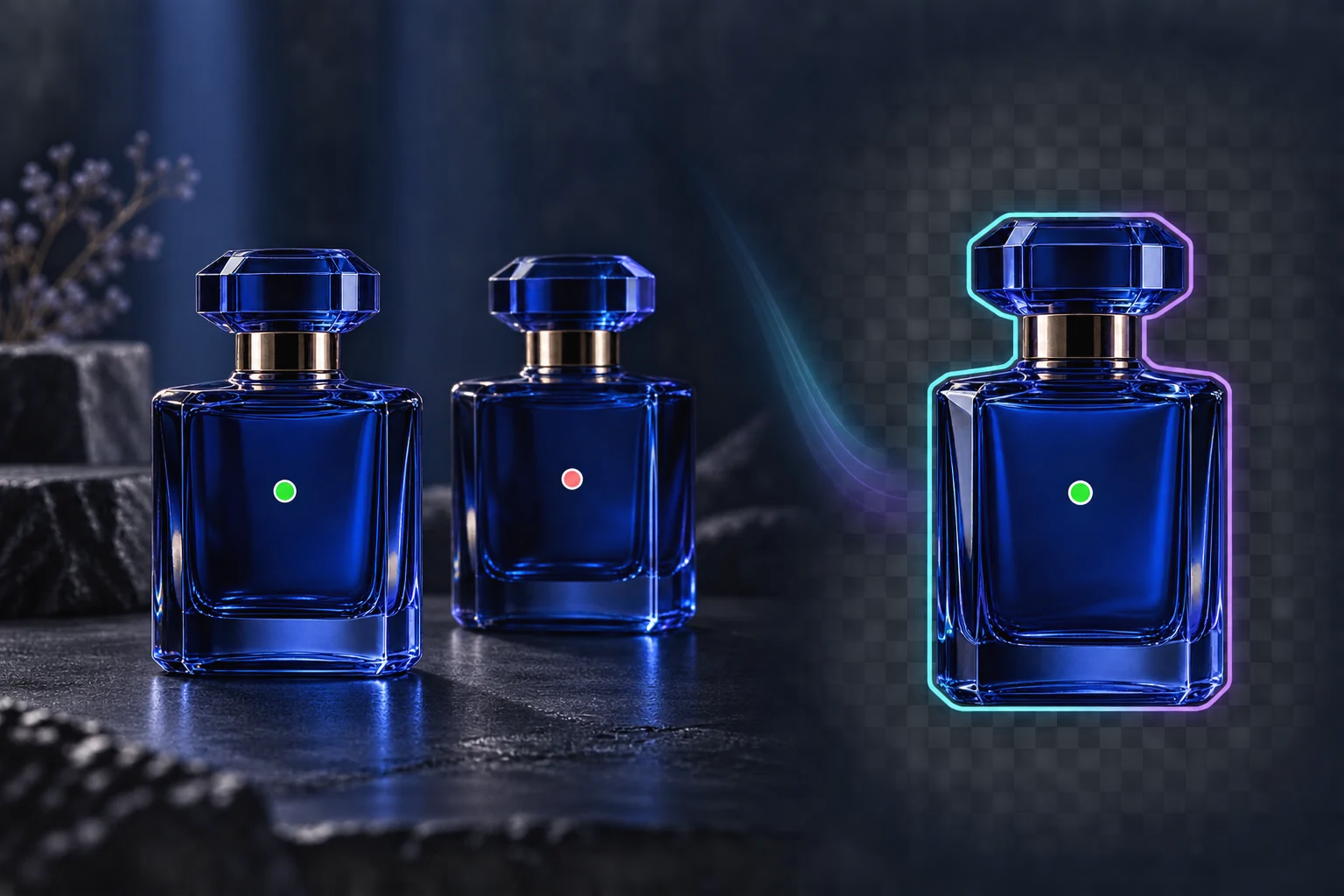
Click the subject to keep, mark areas to exclude, and refine the selection with a brush. Smart Cutout runs in your browser and exports a transparent PNG or a reusable selection mask.
Pick one subject among manyRefine before exportingDownload a real transparent PNG
instantánea de capacidad
2
keep and exclude point types
PNG
transparent image export
local
image processing in your browser
Mira Smart Cutout en acción
Un recorrido de 27 segundos por el flujo de trabajo, las ventajas clave y los resultados.
Beneficios principales
Valor práctico asignado a flujos de trabajo de producción reales.
Beneficio
01
Pick one subject among many
Add a keep point on the object you want and exclude points on nearby objects or background areas. The selection updates as you guide it.
Beneficio
02
Refine before exporting
Use the brush, eraser, lasso, feather, and expand controls to correct the mask, then inspect it against the source image.
Beneficio
03
Download a real transparent PNG
The selected pixels are composited with an alpha channel in your browser. Download the cutout or export the mask for another editing step.
flujo de trabajo recomendado
Un camino sencillo de tres pasos desde el material original hasta un resultado reutilizable.
Paso 1
Choose an image
Open a PNG, JPEG, or WebP image from your device. The image stays local while the browser loads the cutout model.
1
Paso 2
Guide the selection
Click the subject to keep it. Right-click or switch to Exclude to mark background areas, then refine with the manual tools.
2
Paso 3
Export the result
Preview the selected area and download a transparent PNG or a separate selection mask.
3
Preguntas frecuentes
Does my image leave my device?
The standalone Smart Cutout tool processes the selected image in your browser and downloads the result locally. Opening the separate Image Editor follows its own asset and generation workflow.
Can I select one of two similar products?
Yes. Add a keep point on the desired product and exclude points on the other one. Results depend on image detail, so use the brush for final corrections.
Does it work on every browser and every edge?
The tool needs browser support for WebAssembly and OffscreenCanvas and downloads its model on first use. Hair, translucent materials, and very complex edges may need manual refinement.
Siguiente paso
¿Listo para usar esta función en producción?
Abra la herramienta con una imagen real, compare los resultados y conserve la versión que funcione.