Image Editing
Smart Cutout
Choose the exact subject you want to keep
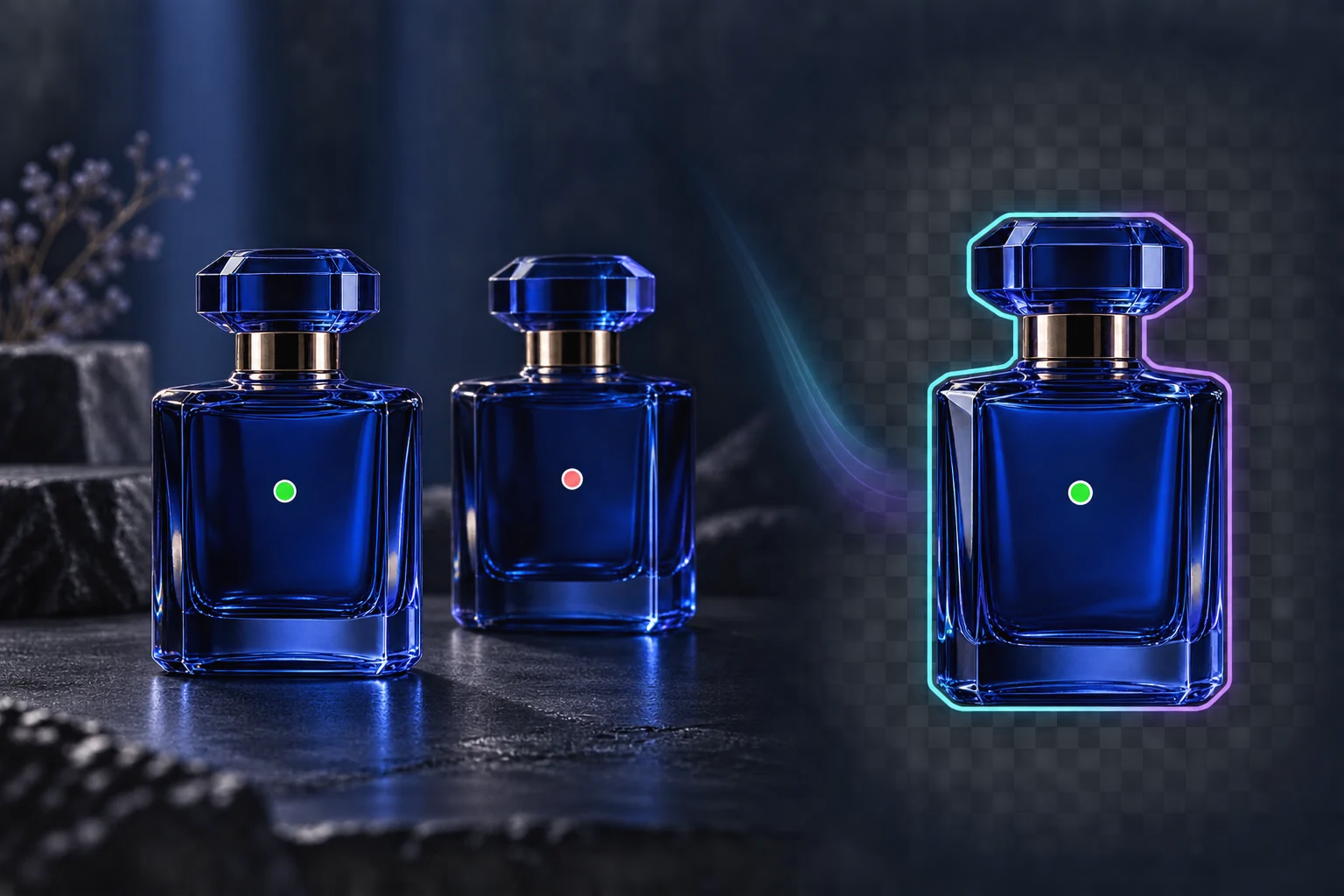
Click the subject to keep, mark areas to exclude, and refine the selection with a brush. Smart Cutout runs in your browser and exports a transparent PNG or a reusable selection mask.
Pick one subject among manyRefine before exportingDownload a real transparent PNG
Kapacitetsögonblicksbild
2
keep and exclude point types
PNG
transparent image export
local
image processing in your browser
Se Smart Cutout i praktiken
En genomgång på 27 sekunder av arbetsflödet, de viktigaste fördelarna och resultaten.
Kärnfördelar
Praktiskt värde kartlagt till verkliga produktionsarbetsflöden.
Fördel
01
Pick one subject among many
Add a keep point on the object you want and exclude points on nearby objects or background areas. The selection updates as you guide it.
Fördel
02
Refine before exporting
Use the brush, eraser, lasso, feather, and expand controls to correct the mask, then inspect it against the source image.
Fördel
03
Download a real transparent PNG
The selected pixels are composited with an alpha channel in your browser. Download the cutout or export the mask for another editing step.
Rekommenderat arbetsflöde
En enkel väg i tre steg från källmaterial till ett återanvändbart resultat.
Steg 1
Choose an image
Open a PNG, JPEG, or WebP image from your device. The image stays local while the browser loads the cutout model.
1
Steg 2
Guide the selection
Click the subject to keep it. Right-click or switch to Exclude to mark background areas, then refine with the manual tools.
2
Steg 3
Export the result
Preview the selected area and download a transparent PNG or a separate selection mask.
3
Vanliga frågor
Does my image leave my device?
The standalone Smart Cutout tool processes the selected image in your browser and downloads the result locally. Opening the separate Image Editor follows its own asset and generation workflow.
Can I select one of two similar products?
Yes. Add a keep point on the desired product and exclude points on the other one. Results depend on image detail, so use the brush for final corrections.
Does it work on every browser and every edge?
The tool needs browser support for WebAssembly and OffscreenCanvas and downloads its model on first use. Hair, translucent materials, and very complex edges may need manual refinement.
Nästa steg
Är du redo att använda den här funktionen i produktionen?
Öppna verktyget med en riktig bild, jämför resultaten och behåll den version som fungerar.