Freistellung erstellen
Laden Sie ein Foto hoch und starten Sie einen Entfernungslauf, um das Vordergrundmotiv freizustellen.
Imgo-Bildtools
Isolieren Sie eine Person, ein Produkt oder ein Objekt für eine sauberere Komposition. Der Entferner ist ein Schritt in einem umfassenderen Bild-Workflow: Prüfen Sie die Kanten und bearbeiten, platzieren oder generieren Sie dann den Hintergrund neu.
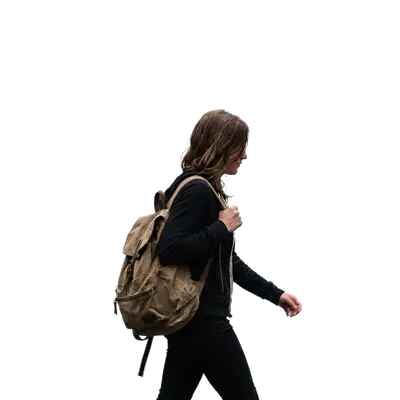
Ein 27-sekündiger Überblick über Workflow, zentrale Vorteile und Ergebnisse.
Laden Sie ein Foto hoch und starten Sie einen Entfernungslauf, um das Vordergrundmotiv freizustellen.
Zoomen Sie auf Haare, durchscheinende Materialien und Schatten; nutzen Sie den Editor für etwaige Nachkorrekturen.
Verwenden Sie das isolierte Motiv für eine Produktszene, ein Mockup oder einen generierten Ersatzhintergrund.
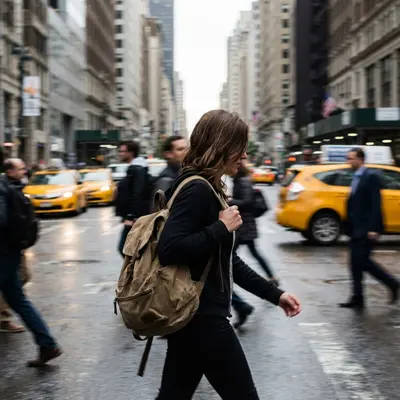
Beispiel für die Hintergrundentfernung. Prüfen Sie Haare, Glas und feine Kanten auf Ihrem eigenen Foto.
Wählen Sie ein klares Foto des Motivs. PNG, JPEG, WebP und GIF werden von der gemeinsamen Bildauswahl akzeptiert, bis zu 10 MB.
Führen Sie die Hintergrundentfernungsaufgabe aus und vergleichen Sie die Ausgabe mit der Quelle, besonders an feinen Kanten.
Laden Sie das zurückgegebene Format herunter oder verwenden Sie den Fotoeditor, um die Freistellung zu verfeinern und eine neue Szene zu komponieren.
Verwenden Sie die Live-Einstellungen, die Credit-Schätzung und das zurückgegebene Ergebnis als endgültige maßgebliche Quelle.
Prüfen Sie die zurückgegebene Vorschau und das Dateiformat, bevor Sie sich auf Transparenz verlassen. Prüfen Sie bei finalen Produktionsassets feine Kanten und Schatten in voller Größe.
Ja. Verwenden Sie die Freistellung in einer neuen Komposition oder öffnen Sie den Bildeditor, um eine Ersatzszene zu beschreiben.
Öffnen Sie den Arbeitsbereich, um ein Bild hochzuladen oder einen Prompt einzugeben, die Live-Credit-Schätzung zu sehen und das Ergebnis herunterzuladen. Zum Ausführen einer Aufgabe ist eine Anmeldung erforderlich.