דלג לתוכן
Imgoסטודיו תמונות ווידאו מבוסס AI
ביתתמחורבלוג
Imgoסטודיו תמונות ווידאו מבוסס AI

Imgo, פלטפורמת יצירה כללית עם AI לווידאו, תמונות, פרומפטים, נכסים וזרימות Canvas. חברו סקריפט, סטוריבורד, פרומפטים לשוטים, רנדר, יצירת תמונות, ספריית נכסים וכלי Canvas Agent בסביבת עבודה אחת.

פלטפורמת יצירה AI

פלטפורמה

  • מחולל וידאו
  • לוח בקרה
  • כל הכלים
  • תמחור

מודלי AI

  • Sora 2
  • Veo 3
  • Kling
  • Seedance 2.0
  • Seedance 2.5
  • MiniMax H3
  • Nano Banana Pro
  • כל המודלים

כלי תמונה

  • מחולל AI
  • עורך תמונות AI
  • יוצר אווטאר
  • מגדיל AI
  • מסיר רקע
  • וקטוריזציית תמונה
  • מכווץ תמונות
  • בונה פרומפטים לתמונה
  • בונה פרומפטים לווידאו
  • מודלי LoRA

משאבים

  • עלינו
  • מרכז עזרה
  • מקרי שימוש
  • השוואת מודלים
  • חלופות
  • גלריה
  • אפליקציות

© 2026 Imgo. כל הזכויות שמורות.

מדיניות פרטיותתנאי שימושסביבת עבודה AI לווידאו, תמונות, פרומפטים ו-Canvas
    Image Utility

    Background Remover

    Clean up image backgrounds for quick comps and concept edits

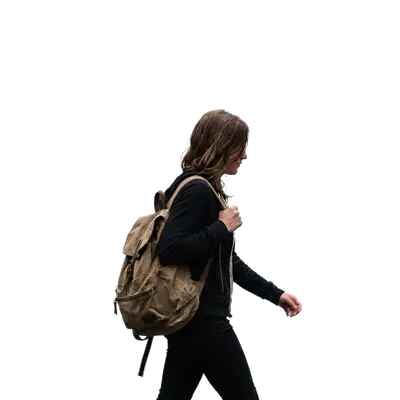
    Use AI-assisted background cleanup to isolate subjects for mockups, rough composites, and creative exploration. Free and online — remove a background in seconds, no sign-up to try.

    Open Background RemoverGo to Generator
    Quick subject isolationFaster iterationUseful for concept work

    תמונת מצב של יכולת

    fast

    cleanup pass

    1 image

    per task

    draft

    composite ready

    יתרונות ליבה

    ערך מעשי ממופה לזרימות עבודה אמיתיות של ייצור.

    הטבה

    01

    Quick subject isolation

    Separate a subject from simple backgrounds faster when building early drafts and visual concepts.

    הטבה

    02

    Faster iteration

    Reduce manual cleanup time when testing layouts, ads, and mockups.

    הטבה

    03

    Useful for concept work

    Use cleaned subjects in rough composites before doing final manual retouching.

    זרימת עבודה מומלצת

    נתיב פשוט בן שלושה שלבים מחומר מקור לתוצאה ניתנת לשימוש חוזר.

    שלב 1

    Upload image

    Bring in raw photos, generated images, or campaign materials.

    1

    שלב 2

    AI cleanup

    Run one AI-assisted cleanup pass to simplify the background around the subject.

    2

    שלב 3

    Review and compose

    Review the result and use it in mockups, concept layouts, or follow-up editing steps.

    3

    שאלות נפוצות

    Does it support product photos?

    Yes. Product shots with simple backgrounds are one of the better fits for this tool.

    Can I keep transparent backgrounds?

    Not in every case. Treat this as AI-assisted background cleanup rather than guaranteed transparent alpha output.

    השלב הבא

    מוכן להשתמש בתכונה זו בייצור?

    פתח את הכלי עם תמונה אמיתית, השווה את התוצאות ושמור על הגרסה שעובדת.

    Open Background Removerחזרה לתכונות