ไปที่เนื้อหา
Imgoสตูดิโอรูปภาพและวิดีโอ AI
หน้าแรกราคาบล็อก
Imgoสตูดิโอรูปภาพและวิดีโอ AI

Imgo, แพลตฟอร์มสร้างสรรค์ AI สำหรับเวิร์กโฟลว์วิดีโอ รูปภาพ พรอมป์ แอสเซ็ต และ Canvas รวมเครื่องมือสคริปต์ สตอรีบอร์ด พรอมป์ช็อต เรนเดอร์ สร้างภาพ คลังแอสเซ็ต และ Canvas Agent ไว้ในเวิร์กสเปซเดียว

แพลตฟอร์มสร้างสรรค์ AI

แพลตฟอร์ม

  • ตัวสร้างวิดีโอ
  • แดชบอร์ด
  • เครื่องมือทั้งหมด
  • ราคา

โมเดล AI

  • Sora 2
  • Veo 3
  • Kling
  • Seedance 2.0
  • Seedance 2.5
  • MiniMax H3
  • Nano Banana Pro
  • โมเดลทั้งหมด

เครื่องมือภาพ

  • สร้างด้วย AI
  • โปรแกรมแก้ไขรูปภาพ AI
  • ตัวสร้างอวตาร
  • ขยายภาพ AI
  • ลบพื้นหลัง
  • แปลงภาพเป็นเวกเตอร์
  • บีบอัดรูปภาพ
  • ตัวสร้างพรอมต์รูปภาพ
  • ตัวสร้างพรอมต์วิดีโอ
  • โมเดล LoRA

ทรัพยากร

  • เกี่ยวกับเรา
  • ศูนย์ช่วยเหลือ
  • กรณีการใช้งาน
  • เปรียบเทียบโมเดล
  • ทางเลือก
  • แกลเลอรี่
  • แอป

© 2026 Imgo สงวนลิขสิทธิ์

นโยบายความเป็นส่วนตัวเงื่อนไขการให้บริการเวิร์กสเปซ AI สำหรับวิดีโอ รูปภาพ พรอมป์ และ Canvas
    Image Utility

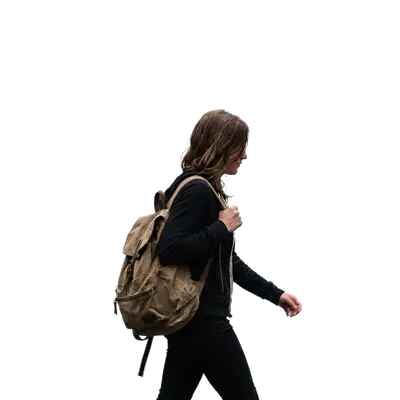
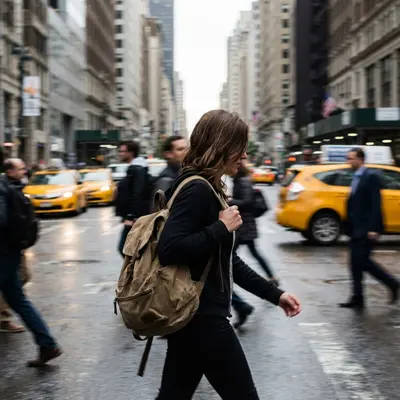
    Background Remover

    Clean up image backgrounds for quick comps and concept edits

    Use AI-assisted background cleanup to isolate subjects for mockups, rough composites, and creative exploration. Free and online — remove a background in seconds, no sign-up to try.

    Open Background RemoverGo to Generator
    Quick subject isolationFaster iterationUseful for concept work

    ภาพรวมความสามารถ

    fast

    cleanup pass

    1 image

    per task

    draft

    composite ready

    ประโยชน์หลัก

    มูลค่าเชิงปฏิบัติที่แมปกับขั้นตอนการทำงานจริง

    ผลประโยชน์

    01

    Quick subject isolation

    Separate a subject from simple backgrounds faster when building early drafts and visual concepts.

    ผลประโยชน์

    02

    Faster iteration

    Reduce manual cleanup time when testing layouts, ads, and mockups.

    ผลประโยชน์

    03

    Useful for concept work

    Use cleaned subjects in rough composites before doing final manual retouching.

    ขั้นตอนการทำงานที่แนะนำ

    เส้นทางสามขั้นตอนง่ายๆ จากแหล่งข้อมูลไปจนถึงผลลัพธ์ที่นำมาใช้ซ้ำได้

    ขั้นตอน 1

    Upload image

    Bring in raw photos, generated images, or campaign materials.

    1

    ขั้นตอน 2

    AI cleanup

    Run one AI-assisted cleanup pass to simplify the background around the subject.

    2

    ขั้นตอน 3

    Review and compose

    Review the result and use it in mockups, concept layouts, or follow-up editing steps.

    3

    คำถามที่พบบ่อย

    Does it support product photos?

    Yes. Product shots with simple backgrounds are one of the better fits for this tool.

    Can I keep transparent backgrounds?

    Not in every case. Treat this as AI-assisted background cleanup rather than guaranteed transparent alpha output.

    ขั้นตอนต่อไป

    พร้อมใช้ฟีเจอร์นี้ในการผลิตแล้วหรือยัง

    เปิดเครื่องมือด้วยรูปภาพจริง เปรียบเทียบผลลัพธ์ และเก็บเวอร์ชันที่ใช้งานได้

    Open Background Removerกลับสู่คุณสมบัติ