AI ad creative generator
Generate performance ad concepts, product visuals, and short videos from one campaign brief.
Imgo turns a campaign brief into testable ad variants: hooks, visual concepts, product scenes, video prompts, and channel-ready exports for paid social.
Who this is for
- Performance marketers running paid social
- Ecommerce teams without a standing creative team
- Agencies producing variants for several accounts
Why this is hard
Performance teams need many angles before they know which message works. Designers and editors cannot manually produce every hook, image, and video variant at the pace media buying requires.
How Imgo solves it
Brief-to-variant generation
Convert one product brief into angle clusters, static creatives, video scripts, and prompt-ready shot lists.
Cross-channel outputs
Prepare square, vertical, and story-style assets for Meta, TikTok, Shorts, landing pages, and retargeting.
Learning-loop friendly
Batch related variants so the team can test hooks, offers, and visuals without mixing unrelated ideas.
What you need to have ready
A product reference
One clear photo of the item you are selling, with packaging and logo readable. Everything downstream anchors to it.
The campaign brief
Audience, offer, the two or three proof points you can defend, and the objection you expect to hear.
Channel constraints
Which placements you are buying, and the aspect ratios and text limits each one enforces.
The 3-step flow
Step 1
Paste the campaign brief
Add product, audience, offer, proof points, objections, and channel constraints.
Step 2
Generate creative angles
Let the Canvas Agent create hooks, UGC-style concepts, product demos, comparison angles, and urgency variants.
Step 3
Render assets for tests
Send winning angles to the Image Generator, Video Generator, or Canvas for final ad-ready exports.
Recommended tools
The Imgo surfaces this use case routes into.
Prompts you can copy
Replace every bracketed variable with your own product, audience and setting before running one.
Hero ad image
Advertising photograph of [product] on a seamless [brand color] backdrop, three-quarter angle, soft key light from the upper left with a subtle rim, packaging and logo sharp and unaltered, generous negative space in the upper third for a headline, commercial product photography, 4:5
Model: nano-banana-2Aspect ratio: 4:5
Proof-point variant
Advertising image of [product] in use by [audience] in [setting], natural daylight, candid framing, the product held so [proof point] is visible, no text overlay, room on the right for a caption, 1:1
Model: nano-banana-2Aspect ratio: 1:1
Vertical video hook
Vertical 9:16 shot: hands lift [product] into frame against [setting], camera pushes in slowly for three seconds, the label turns toward the lens and holds, soft daylight, no on-screen text, no camera shake
Model: seedance-2Aspect ratio: 9:16
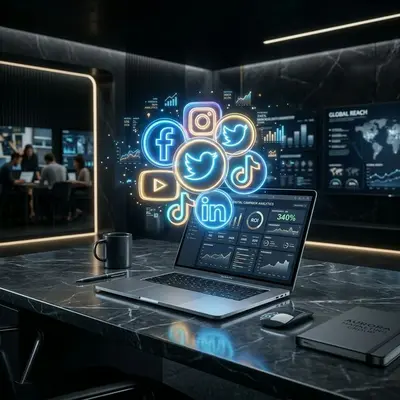
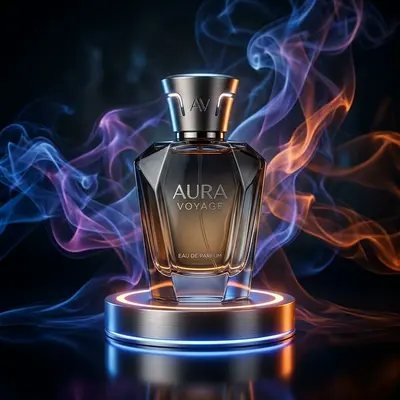
What the output looks like
Generated in Imgo. Your results will differ with your own reference, prompt and settings.

FAQ
Can Imgo generate UGC-style ads?
Yes. Use the Canvas Agent to produce UGC scripts and route avatar or product-demo concepts into video models.
Can I keep brand consistency?
Yes. Save brand colors, product references, and reusable prompts so variants stay inside the campaign system.
Is this only for video ads?
No. The same brief can produce static ad images, product scenes, short videos, and landing-page visuals.
How many variants should I create?
Start with 5 hooks x 3 visual treatments. That gives enough signal without overwhelming the first test.